What does "Unlock Feature" mean and how do you continue watching?
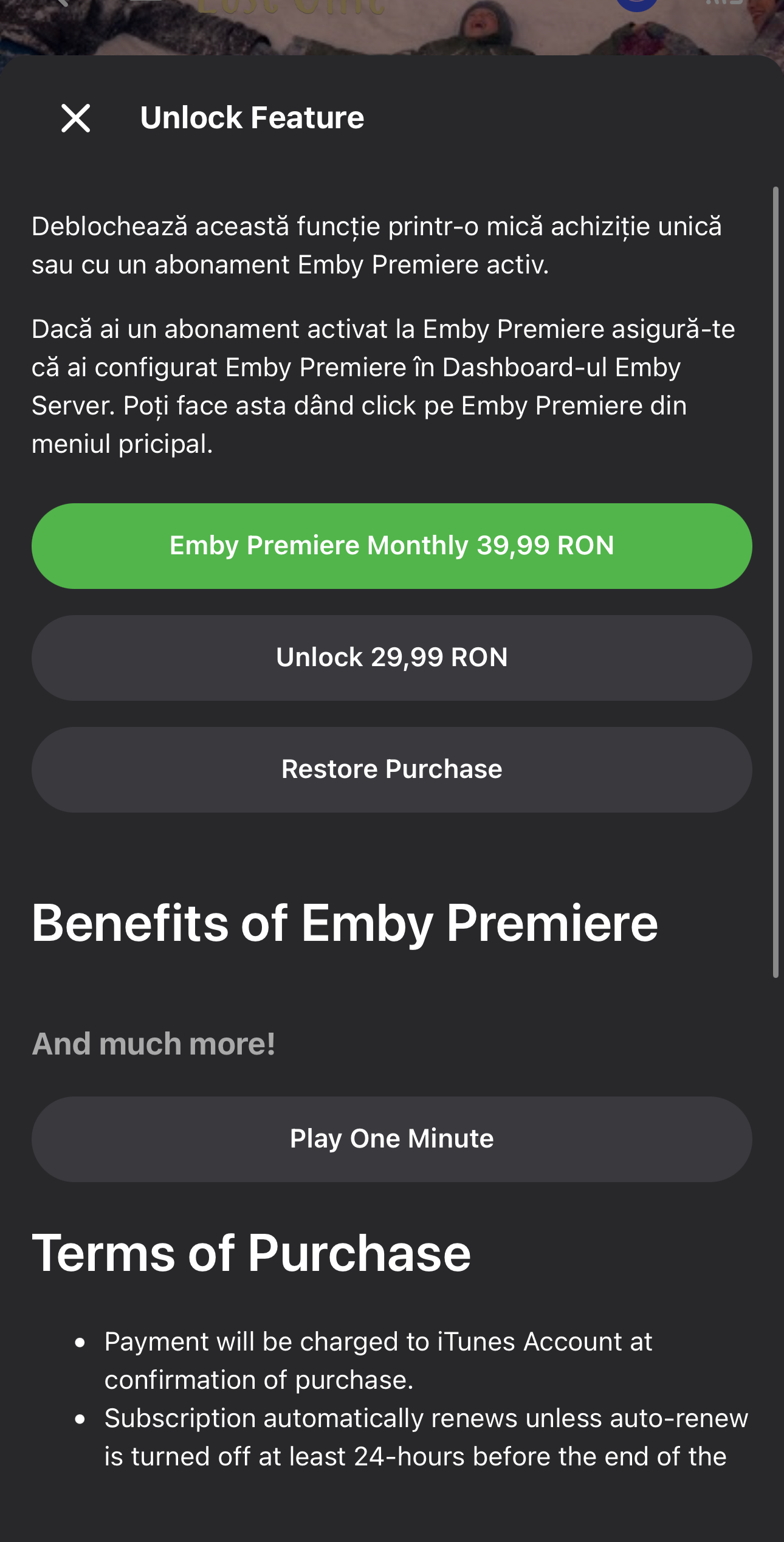
If you encounter the screen shown in the image below on your phone (iOS / Android), the reason is simple: the mobile app requires payment of the licensing and publishing fee for the service on mobile platforms.
What does this mean in short?
For the mobile app to work without limitations, the administrator pays a periodic fee for licensing and publishing the service.
This restriction belongs exclusively to the app being used, it is not a problem with your server or your account (which remains fully active and functional). The activation is done remotely, over the internet, without the need to modify anything in the app.
When these costs need to be covered:
- The mobile app restricts playback to only 1 minute (Play One Minute).
- The one-time purchase or subscription screen (Unlock Feature) is displayed when you want to watch something on the app.
Supporting the service through a contribution / donation
You can directly support the administrator through a contribution or support subscription. The money collected is used to pay the licensing fee (so that the message in the image disappears and the app can once again be without limitations) and to maintain the infrastructure (stable servers, continuous addition of new content).
How you can contribute:
You can contact the administrator through any of the communication methods below for details, activation, or technical support:
- WhatsApp: +40 775 584 785
- Phone: +40 775 584 785
- Facebook: Popica Adelin
- Instagram: @popica_adelin
- PayPal: paypal.me/Popica Adelin
Alternative methods for watching without limitations
There are other alternative methods through which you can access the service and watch content without any limitations, but these are different options compared to the native mobile app:
Direct viewing through Browser:
You can access the platform directly from your mobile browser (Safari, Chrome) using one of the secure links below:Viewing from an Android device:
Watching content on an Android phone or tablet does not encounter this limitation regarding the app publishing/usage fee.Using the Stremio app:
You can watch content through Stremio using the plugin created and managed by Popica Adelin. The step-by-step guide is available in the Stremio Installation Documentation.Free alternative apps for iPhone (iOS):
For iPhone/iPad users, you can connect the server to one of the free dedicated apps:- Sen Player: Check out the Sen Player Installation Guide.
- ZFuse: Check out the ZFuse Installation Guide.
- Zuno: Check out the Zuno Installation Guide.